Rings
Moonstone ring on Yuki, coastal light.
Yuki photographed in Tide for the studio's coastal feature, wearing the hammered-gold moonstone ring. The sea-haze light is what gives the moonstone its blue adularescence — that inner glow flattens under hard studio light and blooms under soft, diffused coastal light. The driftwood and salt-bleached rock behind her are part of the Tide template, not the source photo; her hand-to-chin pose puts the cabochon at the center of the frame at a three-quarter angle that reads the dome of the stone. For organic, stone-led pieces, this is the frame that sells the gemstone, not just the setting. Generated in a single pass.
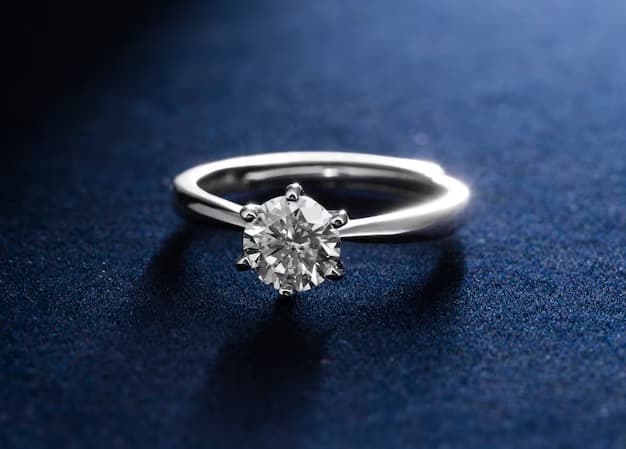
Started from this
A single iPhone photo of the piece. One prompt. Sixty seconds.
- Piece
- Rings
- Scene
- Yuki, moonstone ring, sea haze
Shoot your jewelry like this. 3 free photos, no card needed.
Recreate this look
Same workflow, your piece.
The studio + model pairing here is in the app. Pick them, upload your iPhone photo of a real piece, and Bling AI runs the same generation pipeline.
Step 1
Upload a phone shot of your piece.
Any iPhone photo on a neutral surface — cream linen, paper, a clean wood board. Natural diffused light. Sharp focus on the piece.
Step 2
Pick the Tide studio.
Coastal. Salt-air. — Bleached driftwood, sea haze, sun-faded linen. For Mediterranean and Cycladic-coded jewelry — Loewe Paula's Ibiza, Toteme, Faye Toogood.
Step 3
Cast Yuki.
Clean minimal. Blunt-bang precision. — A mid-20s Japanese woman with a sleek black bob and bangs. Restrained, exact, Phoebe Philo-coded.
Step 4
Generate. ~60 seconds.
Run on its own or as part of the Etsy listing pack — same studio + model, four shots, one tap.
for a piece like this