bling ai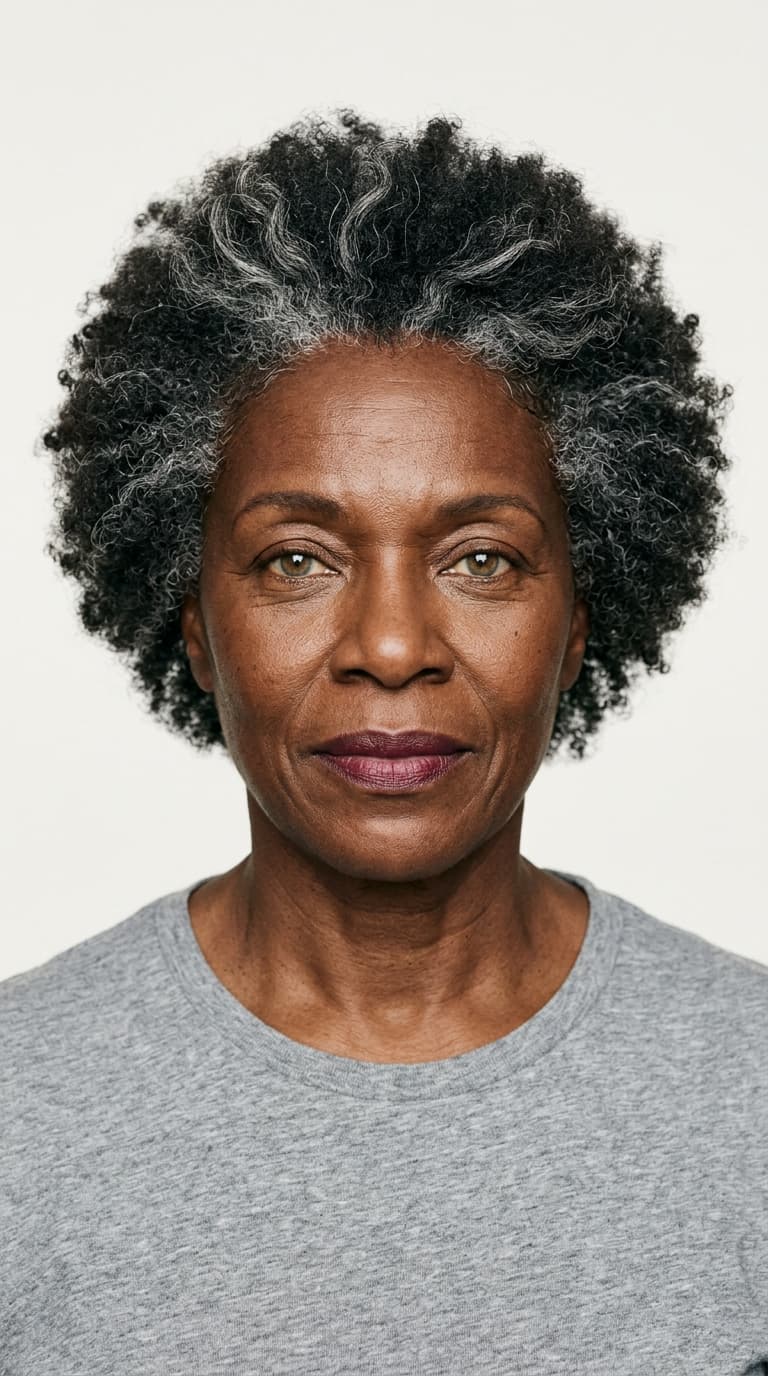
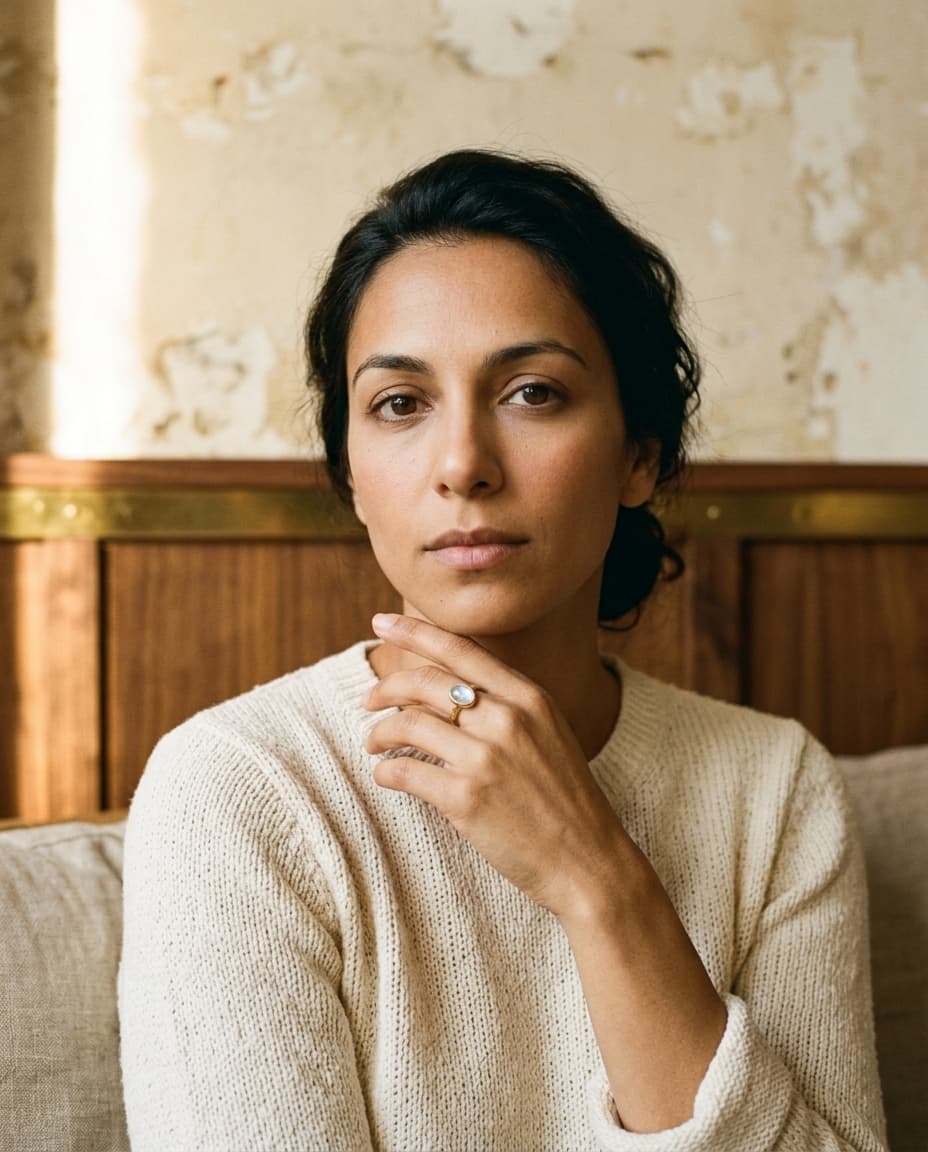
the seventeen house models inside bling ai are a strong default. mira is the warm-earthy face most indie jewelers reach for first. selene is what every fine-jewelry brand wants its diamonds to look like. marcus covers heritage men's. between them, the cast covers most use cases out of the box.
but if you're building a brand, a face other jewelers also use is a face you also share. the same way two etsy shops both using the same aesthetic preset start to look interchangeable, two jewelry brands both casting mira in patina start to read as cousins. for the larger indie brands — the ones serious about a recognizable visual identity — the house roster is a starting point. a custom model is the signature.
bling ai v2 added a custom model feature for exactly this. you design a face — ethnicity, age, hair, eyes, posture, styling — and bling ai locks that face as part of your roster. she casts into every studio. she keeps her identity across hundreds of shots. nobody else can use her. this is the guide.
what a custom model actually is
a custom model in bling ai is a fully identity-locked face that lives in your private roster. she has:
- a name
- a reference portrait that bling ai treats as the canonical this is what she looks like anchor
- a six-sheet model card (front bust, three-quarter, profile, collarbone, décolletage, hair up) that the studio system uses to keep her consistent across casting decisions
- an internal identity-anchor prompt that bling ai appends to every generation she's in — so the platinum-blonde slick of selene doesn't drift toward bleached-blonde wave, and the umber skin of naomi doesn't drift cool
once she exists, she behaves exactly like a house model in the app interface: pick her, pick a studio, hit generate. except nobody outside your workspace can pick her. she is your model. her face on your listings is the visual identity competing brands literally cannot copy.
the seventeen house models are the public roster. custom models are the private roster. most serious brands end up with both — they keep mira or selene around for use cases where they want the brand-coded comparison, and they cast their custom model for the work that has to feel theirs alone.
the design questionnaire
building a custom model takes about ten minutes the first time. the app walks you through a structured questionnaire — each answer feeds into the identity-lock prompt and the reference-sheet generation. the categories:
- 01
ethnicity, age, gender
the foundation. pick the demographic the model lives in. these inform skin tone, bone structure, and which brand references the styling will pull from. the questionnaire offers a long list — not just the obvious five categories.
- 02
hair
color, texture, length, style. “long straight ash-blonde parted in the middle,” “chin-length blunt-bang jet-black bob,” “cropped natural afro about 1.5 inches all over.” specifics here lock the most-noticeable visual cue.
- 03
eyes
color, shape, brow definition. eye color is one of the highest-drift parameters in ai image generation — specifying it explicitly stops her green eyes from becoming brown three shoots in.
- 04
face structure
cheekbones, jaw, nose, lips. pick the specific “sharp angular cheekbones, strong square jaw” combinations that match your audience. avoid generic “classic facial features” — the model treats generic input as permission to default.
- 05
styling cues
natural makeup vs defined. neutral lip vs distinctive lip color. bare-faced vs styled. these decisions lock her attitude — the silent signals viewers register before they consciously notice the jewelry.
- 06
age-positive cues (optional)
if your model is over 40, this section gives you control over how age-positive the rendering is — visible laugh lines preserved or smoothed, deliberate silver streaks vs hidden, character or correction. critical for older models. (see eleanor in the cover image — she's 62 with intentional silver streaks and visible laugh lines. the questionnaire produced that.)
once you submit, bling ai generates the six reference sheets (front bust, three-quarter, profile, collarbone, décolletage, hair up) and saves the model into your workspace. takes ~3 minutes. review the sheets, regenerate if anything reads off, then she's yours.
how identity-lock works
every ai image model — bling ai included — gets a prompt that tells it what to generate. the prompt is the source of truth. when the prompt is under-specified, the model fills the gaps with the average of its training data, which is rarely consistent across shots.
identity-lock is the part of bling ai that says: “before every generation, regardless of what else is in the prompt, include this exact paragraph about who this person is.” it's a multi-hundred-word prose specification of skin tone, bone structure, hair, eye color, age, styling. the same paragraph runs on every shoot.
for custom models, that paragraph is built from your questionnaire answers. for house models, it's built from ours. the lock is the difference between “an asian woman with black hair” (drift drift drift) and “yuki: mid-20s japanese woman, fair porcelain skin with cool-neutral undertone (no yellow cast), sleek jet-black chin-length bob with blunt bangs cut straight across the brow, dark brown almond-shaped eyes, delicate refined features, soft jaw, bare-faced with a soft pink lip” (her, every shoot, for 200 shoots).
the lock is also what lets the studio system work. when you cast naomi into tide the studio template provides the environment — coastal salt-air, bleached limestone, sea haze — and the identity-lock provides her. the studio doesn't drift naomi's identity to match its aesthetic; the studio styles naomi's identity into its aesthetic. the same is true for your custom model.
studios that work with your custom model
every studio. once she's built, she casts into all fourteen — patina to vault, tide to solstice. this is one of the strongest reasons to build a custom model: you get a unified visual identity across every aesthetic in the app.
a worked example: imagine you've built a model named “adira” — late-30s middle eastern, deep eyes, warm olive skin, long dark hair. you cast her into:
- patina for your handmade gold listings
- atrium for your heritage signets
- solstice for your turquoise + boho fine
- vault for your diamond statement pieces
- tide for your moonstone + pearl
every shoot has adira. her face is the through-line. the studios change but she carries the brand. this is what jewelry brands actually mean when they say “our look.”
naming and brand positioning
a small thing that turns out to matter: name your custom model thoughtfully. “model 1” and “test face” are fine for prototyping, but the moment you decide she's the face of your brand, give her a real name.
you'll write captions about her. you'll respond to “who is your model?” dms about her. you might eventually do a “meet [name]” post that introduces her formally. the name is the start of brand lore.
a few patterns that work:
- a single first name — “mira,” “iris,” “selene,” “naomi.” our house roster uses this. clean, brandable, googleable for your brand once she has a few hundred shots out.
- a place name as a person name — “mara,” “ines,” “sofia.” feels designed without being clearly fictional.
- avoid: “the model,” “our girl,” “jewelry queen.” these don't register as a person. viewers don't form attachment to a category.
once she has a name, talk about her like a person. “mira in patina this morning,” not “our ai-generated model in the warm aesthetic.” the difference is real. the second sells nobody.
three sample model briefs
if you're trying to figure out who yours should be, three examples of what works:
example 1: a brand selling moonstone and pearl jewelry to a 28-40 audience. brief: “mid-30s portuguese-coded woman, warm olive skin, hazel-green eyes, long dark wavy hair with subtle caramel highlights, soft full lips, light freckles across the nose. bare-faced, natural-tone lip. body language: contemplative, slightly looking down, comfortable with stillness.” this model casts beautifully into tide, verdure, patina. she's the brand.
example 2: a brand selling sculptural designer pieces to a 35-55 fashion-aware audience. brief: “late-40s scandinavian woman, cool fair skin, sharp angular cheekbones, defined square jaw, ash-grey natural hair in a chin-length bob, ice-blue eyes. defined dark brow, distinctive natural matte lip. body language: composed, direct gaze, comfortable taking up space.” casts into cast, vellum, atrium. brand-defining.
example 3: a brand selling men's heritage watches and signets to a 40-60 audience. brief: “late-40s south asian indian man, warm rich brown skin, neatly-trimmed dark beard with deliberate silver streaks at the chin, dark almond eyes with composed direct gaze, refined high cheekbones, strong square jaw. clean-shaven scalp or short considered cut. body language: still, dignified.” casts into suite, atrium, vault. carries the brand alongside an established public face like a vintage rolex print model in the same shoot.
your model is not these three. but yours follows the same structural specificity. “a young attractive woman” is a request for drift. the four-line briefs above are what stops it.
common mistakes
under-specifying. the model treats vague input as permission to default. “a beautiful woman” gives you a face that changes every shoot. the briefs above are the floor for specificity, not the ceiling.
building a model that looks exactly like a famous person. the system specifically avoids matching real public figures, but if your brief reads as “late-30s indian woman who looks like priyanka chopra,” you'll get a generic face. specify features, not people.
building a model who doesn't match your audience. if your buyers are 50-65 american women, your custom model probably shouldn't be 22. who the model looks like is half of how your brand reads. cast for the buyer, not the runway.
ignoring age-positive cues for older models. if you build a 55+ woman without specifying age-positive treatment, the ai may smooth her into looking 35 — which both misrepresents her and underutilizes the most distinctive thing about her face. “visible laugh lines preserved,” “deliberate silver streaks at the temples (not hidden),” “age-positive (do not smooth).” these matter.
rebuilding her every month. once she works, leave her alone. the value of a custom model is consistency over hundreds of shoots. starting over because today's shot was 5% softer than yesterday's kills the entire premise. use the refine flow on a single bad shot; don't rebuild her.
casting her into every studio without thought. even your custom model has a sweet spot. our house models do — mira in patina, selene in glacier, naomi in tide. once you've built yours, run a small grid — your model in all 14 studios — and identify the 4-5 studios where she shines most. those are the studios your brand should live in primarily.
starting recipe
if you're sitting down to build your model tonight:
- write a four-line brief in plain prose covering ethnicity / age, hair, eyes / face structure, body-language attitude
- open the app, tap create custom model in the cast section
- answer the questionnaire using your brief as the source
- review the six reference sheets bling ai generates
- name her
- cast her into your three highest-confidence studios — typically patina, vellum, and one third — and generate one shot in each
- compare to your house-model shots
- if she wins, the next thirty listings get her face
ten minutes of design work, three minutes of generation, a few minutes of review. that's the whole investment. and what you get is a visual identity nobody else in your category can copy.
your brand has a face. now it's yours.
browse the house cast for reference → · or explore the studios →